Shared context for
people and agents.
See how it emerged, who changed what, and why. One shared record for your team and the agents it runs.
Node 18+. Works in any terminal, including Codespaces and remote SSH.
Works with
any agent with CLI or MCP access
The problem
Your team moves fast. The reasons behind its work get lost.
Your team runs agents all day. Each run changes specs, plans and code.
The reasons behind those changes end up in chat logs and terminal history.
On Monday morning you cannot say what changed over the weekend, who changed it, or which decision it came from.
So the next session starts with someone explaining the project again.
See it work
Watch an agent build a canvas.
The agent installs CreatorNotes itself, reads what is already there, and writes notes, evidence and decisions as it works.
A person opens the same canvas and sees what the agent did.
Your agents decide what to write. CreatorNotes gives them typed notes, links, versions and canvases to write with.
What you can check
Every change has an author and a reason.
- Provenance
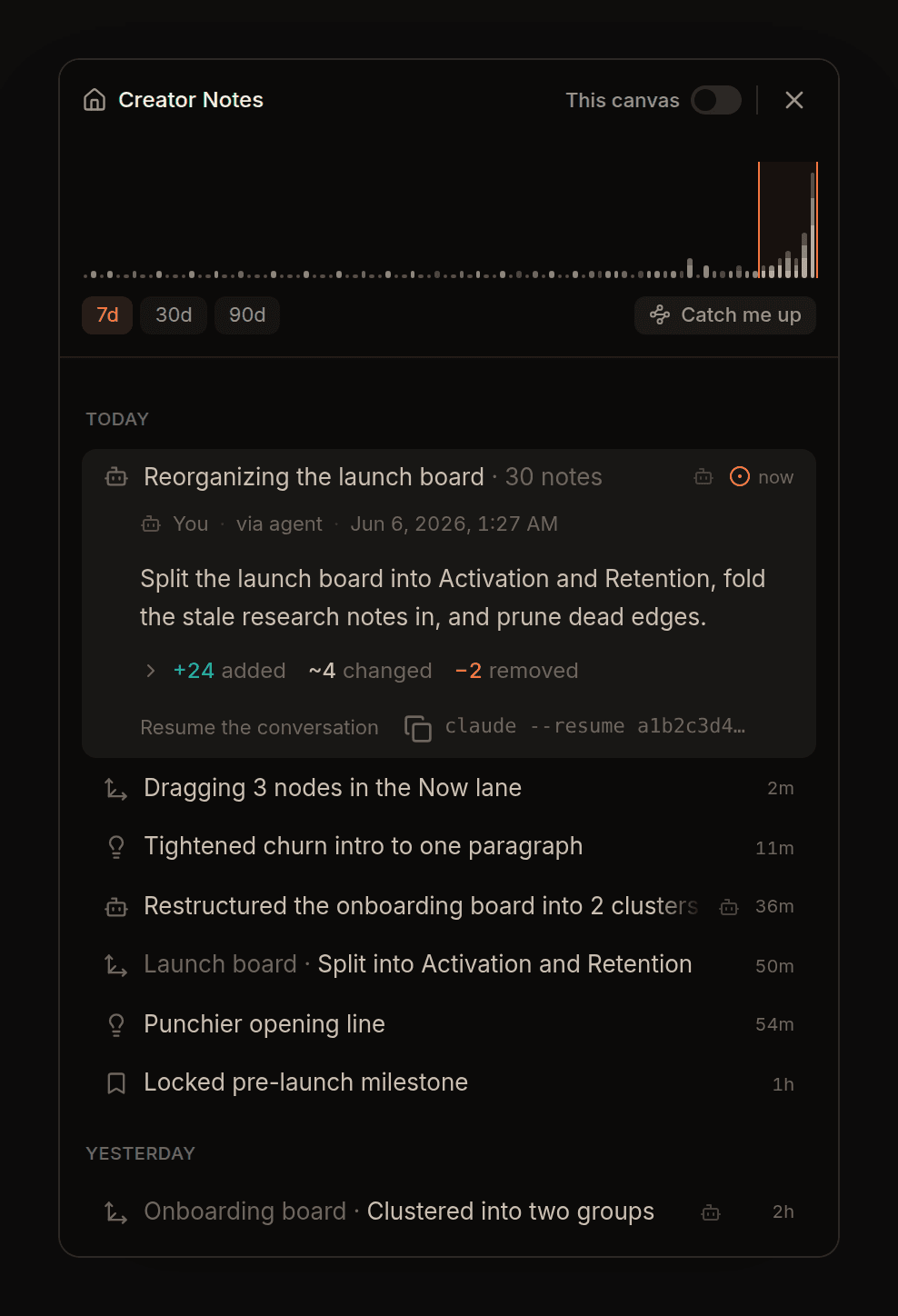
- Each note shows who touched it: you, a teammate, or an agent.
- Versions
- Every change is kept, with the reason it was made.
- Timeline
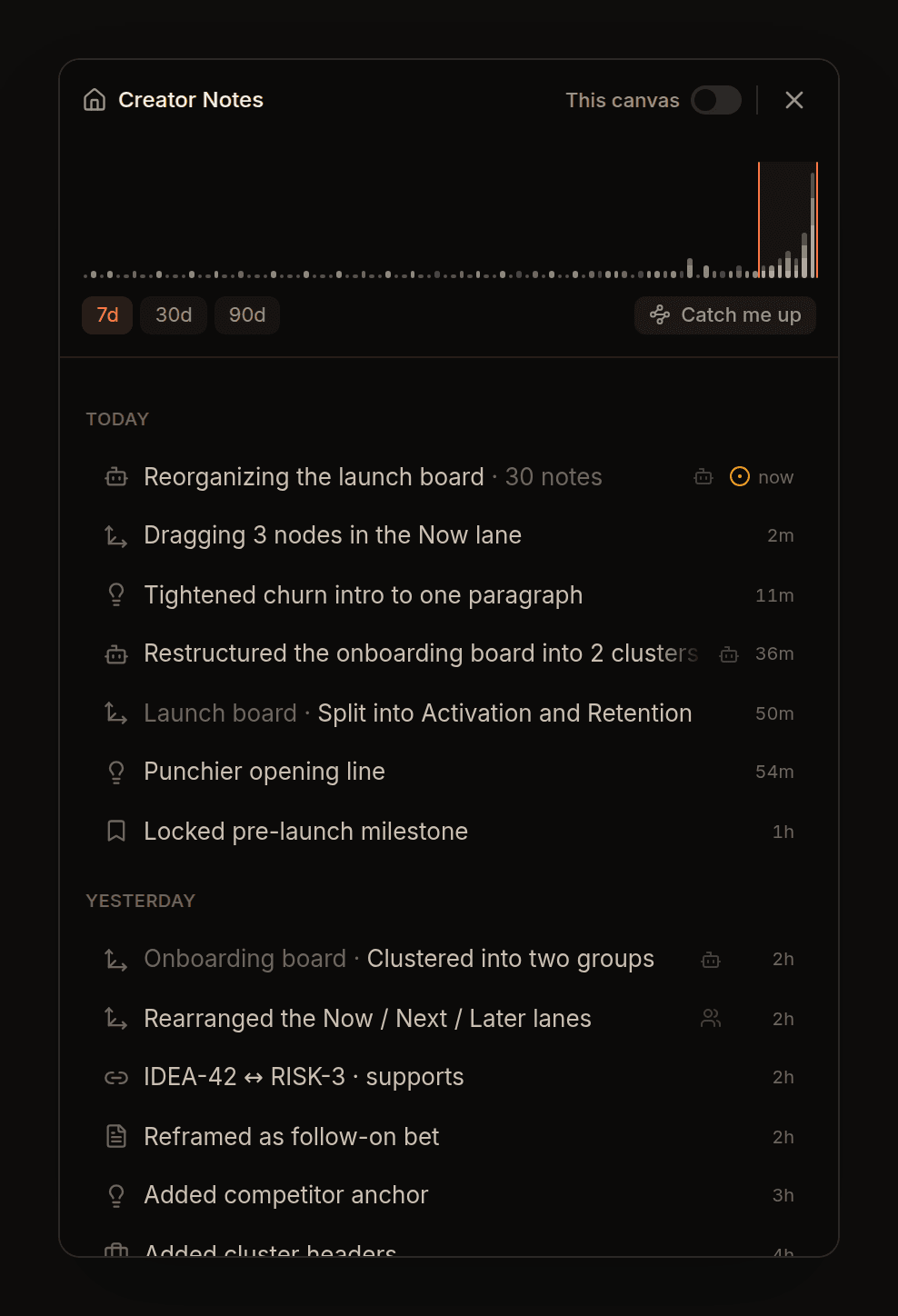
- You, your teammates and your agents in one stream. An agent's whole batch is one row. Open it to see what it touched.
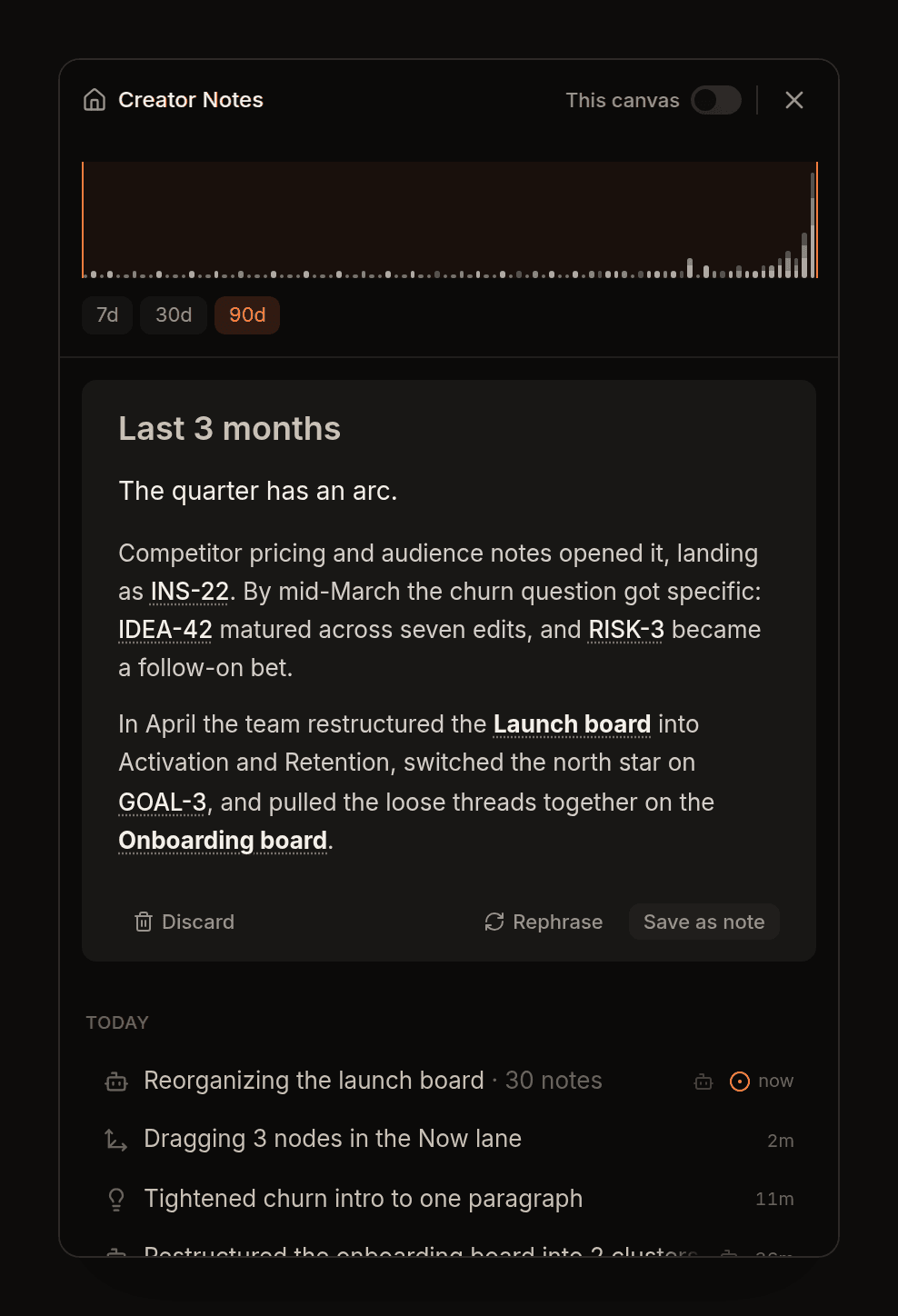
- Catch me up
- Pick a time window. You get a written brief that links to the notes and canvases it cites.
- Sharing
- Choose who can see each canvas.
Why a CLAUDE.md file stops being enough
A CLAUDE.md file works for one person and one agent.
With a second person and a few agents, you have to dig through Git history and chat logs to find who added an instruction, why, and whether it still holds.
CreatorNotes keeps each piece of context as its own note, versioned, with the author on every change.
Who it is for
Teams of 5 to 30 where Claude Code, Codex or Cursor do real work every day.
Working alone? Start free with the same command.
Does CreatorNotes run my agents?
No. You bring the agent you already use. It reads from and writes to the workspace.
Can my agents use it?
Yes. Claude Code, Codex or Cursor read and write the same workspace through the CLI: notes, links, decisions and version history.
Do I need to use the terminal?
Your agents use the CLI. You do not have to. Everything the CLI does, you can do in the browser, on the same data.
Can I undo what an agent wrote?
Yes. Every agent write is attributed and can be reversed.